Dolby Vision Mastering Monitor: What HDR Grading Really Needs
A Dolby Vision mastering monitor is the display a colourist grades the HDR master on, and Dolby’s own delivery specification sets the floor: at least 1,000 nits peak brightness, at least 200,000:1 contrast, P3 colour gamut and the PQ (SMPTE ST 2084) curve. Anything below that can preview HDR, but it cannot be trusted to make the final creative decisions. This guide explains what those numbers mean in practice and which Flanders Scientific models meet them.
What an HDR mastering monitor has to do
An SDR grade is judged on a display that peaks at around 100 nits. An HDR grade carries highlights far above that, and the mastering display is the only screen in the chain that shows those highlights as the colourist intends. Every HDR10 file, every Dolby Vision trim and every SDR version derived from the master inherits the decisions made on it. If the monitor clips, crushes or shifts colour, those errors get baked into every deliverable.
So the job is simple to state and hard to build: track the HDR transfer curve accurately, reach real highlight levels, hold deep blacks at the same time, and cover a gamut wider than Rec.709.
PQ and HLG: the two HDR curves
PQ (SMPTE ST 2084)
The perceptual quantizer, or PQ, was published by SMPTE as ST 2084 in 2014 and later adopted in ITU-R BT.2100. Its signal range maps to absolute luminance from 0 to 10,000 cd/m2. A given code value always means the same number of nits. That is why a PQ grade needs a display that can actually reach the brightness the signal asks for. PQ is the curve used by HDR10 and by Dolby Vision masters.
HLG (Hybrid Log-Gamma)
HLG was developed by the BBC and NHK for broadcast. It is defined in ITU-R BT.2100 and ARIB STD-B67. Unlike PQ it is relative, not absolute, and it carries no metadata. An SDR display can show an HLG signal in a usable way, which makes it attractive for live television where one feed has to serve both kinds of screen.
Peak luminance: why 1,000 nits is the common floor
Dolby’s Content Delivery for Home Distribution specification (version 3.4) says the Dolby Vision master must be graded on a display with a minimum peak brightness of 1,000 nits. Dolby’s Content Creators page lists the same 1,000 nit figure for its recommended Tier 1 display. In practice most HDR work is mastered for a 1,000 nit target, and the mastering display has to reach at least that level to show the full range of the grade.
Brighter is possible. PQ can describe up to 10,000 nits, and Dolby’s own sample file names in the delivery specification show masters graded at 4,000 nits. A brighter display gives more headroom for highlights and lets you check how a grade holds up beyond the 1,000 nit target.
Full screen versus window brightness
Peak luminance figures on a spec sheet are usually measured on a small bright patch, not across the whole screen. Self-emissive panels such as OLED limit how bright the full screen can get. A monitor might reach 1,000 nits on a small window and far less when the entire frame is white.
For grading this matters less than it sounds. HDR highlights are usually small: speculars, practical lights, sun on water. The average picture level of most HDR scenes stays low. Still, you should read both numbers. Flanders Scientific publishes luminance at several window sizes (labelled L18, L32, L50 and Full Screen on its spec sheets), which gives a clearer picture than a single peak figure.
Black level and contrast
Brightness without depth is not HDR. The Dolby delivery specification sets a minimum contrast ratio of 200,000:1. Dolby’s Content Creators page goes further for its Tier 1 recommendation: an intra-frame contrast ratio of at least 1,000,000:1 and a black level at or below 0.001 nits.
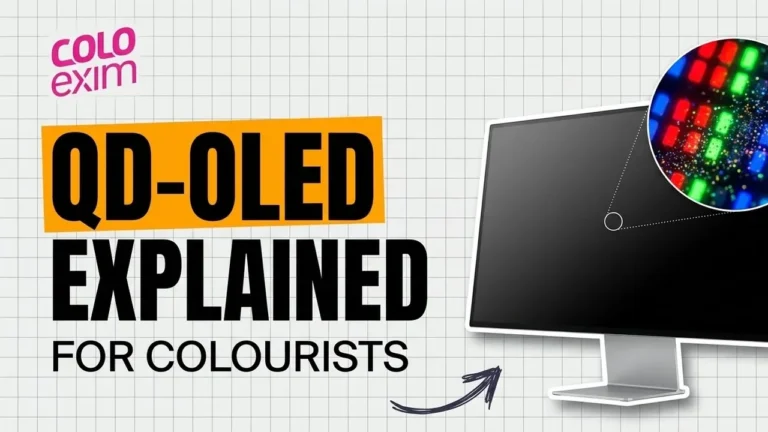
Intra-frame contrast is the key phrase. It means bright highlights and deep shadows on screen at the same time, in the same frame. A display that dims its whole backlight to reach black, or that blooms around bright objects, can quote a high sequential contrast figure while failing this test. Flanders Scientific makes the same argument on its XMP product pages, where it contrasts the per-pixel control of QD-OLED with local dimming and global dimming LCDs.
P3 gamut inside a Rec.2020 container
HDR10 signals are defined with ITU-R BT.2020 colour primaries. Very few displays can show all of Rec.2020, so in practice the grade is limited to P3 and carried inside the larger container. Dolby’s delivery specification asks for the master to be graded on a display set for P3 colour gamut, with a D65 white point, and delivered as P3 D65 PQ. It adds that a Rec.2020 display may be used if required and that rendered Rec.2020 files are accepted.
So the practical requirement is full P3 coverage, accurate tracking of P3 inside a Rec.2020 signal, and clean handling of anything outside the display’s gamut. Native coverage beyond P3 is useful headroom, not a requirement.
HDR10, Dolby Vision and HLG deliverables
| Format | Transfer curve | Metadata | Typical use |
|---|---|---|---|
| HDR10 | PQ (ST 2084) | Static: ST 2086 mastering display data, MaxCLL, MaxFALL | Streaming and disc, widest device support |
| Dolby Vision | PQ (ST 2084) | Dynamic, shot by shot, exported as XML | Streaming and cinema-to-home deliveries with SDR trims |
| HLG | Hybrid Log-Gamma | None | Live and broadcast television, SDR compatible |
HDR10 uses one set of static values for the whole programme. When a television cannot reproduce the full range, it decides on its own how to tone map. Dolby Vision adds dynamic metadata so the mapping follows the grade shot by shot.
The Dolby delivery specification describes what a Dolby Vision package contains. The image files are the Dolby Vision master, for example a 16-bit RGB P3 D65 PQ TIFF sequence, or ProRes under a separate delivery option. Alongside it sits an XML metadata file exported from the grading system. That XML carries Level 0 mastering monitor information, Level 1 shot analysis, and Level 2 trims made while watching a Rec.709, gamma 2.4, 100 nit target display. Dolby strongly recommends a shot by shot trim pass so the SDR version keeps the creative intent of the HDR grade.
This is why the mastering monitor matters beyond the HDR picture itself. Its characteristics are written into the metadata, and the SDR version is derived from decisions made on it.
For Indian work, streaming platforms and broadcasters each publish their own delivery specifications, and these change. Always work from the current spec supplied by the platform or client. Generally, OTT deliveries lean on PQ based formats such as HDR10 and Dolby Vision, while live broadcast HDR is more likely to use HLG.
Flanders Scientific options for HDR mastering
Flanders Scientific splits its range into two HDR levels. Monitors rated “HDR Compatibility Rating: Mastering” are, in FSI’s words, designed specifically for HDR content creation and review, qualify as Dolby Vision mastering monitors, and have a peak luminance rating of at least 1,000 cd/m2. Monitors with HDR Preview are aimed at production and QC, with more limited peak luminance or contrast. You can browse the full line-up of Flanders Scientific monitors in India on our brand page.
XMP series: rated Mastering
All five XMP models below carry the Mastering rating on the FSI website and are described by FSI as qualifying as Dolby Vision mastering monitors. All use Quantum Dot OLED panels at 3840×2160, with 10-bit colour, four 12G/6G/3G/HD-SDI inputs, and EOTF selections that include PQ-ST2084 and HLG.
| Model | Size | Peak luminance (window) | Full screen | Contrast | Rec.2020 coverage |
|---|---|---|---|---|---|
| XMP270 | 26.5 inch | ~1,000 cd/m2 @ L18 | ~250 cd/m2 | ~1,500,000:1 | ~80% |
| XMP310 | 31.5 inch | ~1,000 cd/m2 @ L18 | ~250 cd/m2 | ~1,500,000:1 | ~80% |
| XMP550 | 55 inch | ~2,000 cd/m2 @ L20 | ~250 cd/m2 | ~4,000,000:1 | ~90% |
| XMP551 | 55 inch | ~4,000 cd/m2 @ L18 | ~400 cd/m2 | ~8,000,000:1 | ~90% |
| XMP651 | 65 inch | ~4,000 cd/m2 @ L18 | ~400 cd/m2 | ~8,000,000:1 | ~90% |
The XMP270 and XMP310 are desk-sized mastering displays for a colourist’s main position. FSI notes they share QD-OLED panel technology and colour management with its larger XMP models, which helps keep a suite’s main and client screens consistent.
XMP551 and XMP651: high brightness
The XMP551 and XMP651 use a 4th generation QD-OLED panel. FSI lists approximately 4,000 cd/m2 at L18, 2,200 at L32, 1,100 at L50 and 400 full screen. That is four times the 1,000 nit floor on small highlights and well above it even at a 50 percent window. At 55 and 65 inches, FSI positions them as large enough for both colourist and clients, so a room can run on a single reference display instead of separate mastering and client monitors. FSI also states support for 8K UHD and 8K DCI signals at 12-bit 4:4:4 over quad 12G or 6G connections.
Useful HDR tools on XMP
Every XMP model listed here shows HDR and SDR on screen together using Quad View with independent colour space per input. The built-in waveform can use PQ nits graticules, and the false colour mode switches to a PQ nits scale when the monitor is set to PQ. FSI also builds GaiaColor Analyzer QC reporting into XMP monitors, so you can check calibration against target without a separate computer.
DM series: HDR Preview
The DM series is not rated for mastering. FSI says its HDR Preview modes are not intended for HDR mastering, and are a cost-effective way to preview HDR in production and QC. Three modes are offered: HLG, PQ with a hard clip near panel peak (approximately 300 nits), and PQ with a soft roll-off so all code values stay visible.
| Model | Size | Panel | Max luminance | Contrast |
|---|---|---|---|---|
| DM160 | 15.6 inch | RGB OLED | 400 cd/m2 full screen | 1,000,000:1 |
| DM220 | 21.6 inch | RGB OLED | 335 nits @ L20 | 1,000,000:1 |
| DM242 | 24 inch | Wide gamut LCD | 400 cd/m2 | 1800:1 |
FSI points out that an OLED DM such as the DM160 tracks the PQ curve especially well in the low end, matching mastering displays in the 0 to 300 nit range. For on-set monitoring, DIT carts and QC bays, that is often enough. For the final grade it is not. Our XMP vs DM guide compares the two series in more depth.
How to choose
- Final HDR grading and Dolby Vision mastering: pick an XMP model. The XMP270 or XMP310 suits a desk position. The XMP551 or XMP651 suits rooms that want more highlight headroom or a single large reference screen for clients.
- Broadcast HLG and HDR QC: any XMP gives full HLG and PQ support. A DM can handle preview and monitoring positions down the chain.
- On set: a DM with soft roll-off PQ preview gives a reliable read on shadows and mid-tones. Many sets pair it with an XMP showing HDR and SDR side by side.
- Check the delivery spec first: confirm the peak brightness, gamut and format your client asks for before choosing a display.
For the complete range including sizes and accessories, see our Flanders Scientific range and buying guide.
Where to buy Flanders Scientific in India
Colo Exim is the official distributor of Flanders Scientific in India, based in Mumbai. We can help you match an XMP or DM model to your suite, your delivery formats and your budget. Make an inquiry or call us on +91 93204 96801.
Frequently asked questions
What brightness does a Dolby Vision mastering monitor need?
Dolby’s Content Delivery for Home Distribution specification requires the Dolby Vision master to be graded on a display with a minimum peak brightness of 1,000 nits and a minimum contrast ratio of 200,000:1, set for P3 colour gamut and the PQ (SMPTE ST 2084) EOTF.
Which Flanders Scientific monitors qualify as Dolby Vision mastering monitors?
On the Flanders Scientific website, the XMP270, XMP310, XMP550, XMP551 and XMP651 carry the HDR Compatibility Rating: Mastering and are described as qualifying as Dolby Vision mastering monitors.
Can I grade HDR on a DM series monitor?
FSI states that the DM series HDR Preview modes are not intended for HDR mastering. They are designed for previewing HDR in production and quality control, with HLG, PQ hard clip and PQ soft roll-off modes.
What is the difference between PQ and HLG?
PQ (SMPTE ST 2084) maps code values to absolute luminance up to 10,000 cd/m2 and is used by HDR10 and Dolby Vision. HLG, developed by the BBC and NHK, is relative, carries no metadata and can be shown on SDR displays, which suits broadcast.
Why do spec sheets list brightness at L18, L50 and full screen?
OLED panels limit how bright the whole screen can get, so peak brightness is measured on smaller windows. FSI lists several window sizes so you can see how luminance holds up as the bright area grows.
Do I need a Rec.2020 monitor for HDR mastering?
Dolby’s delivery specification asks for grading with the display set to P3 gamut, with D65 white, and notes a Rec.2020 display may also be used if required. HDR10 signals use Rec.2020 primaries, but most grades are limited to P3 inside that container.