QD-OLED Reference Monitor Explained: Panel Types for Colour Grading
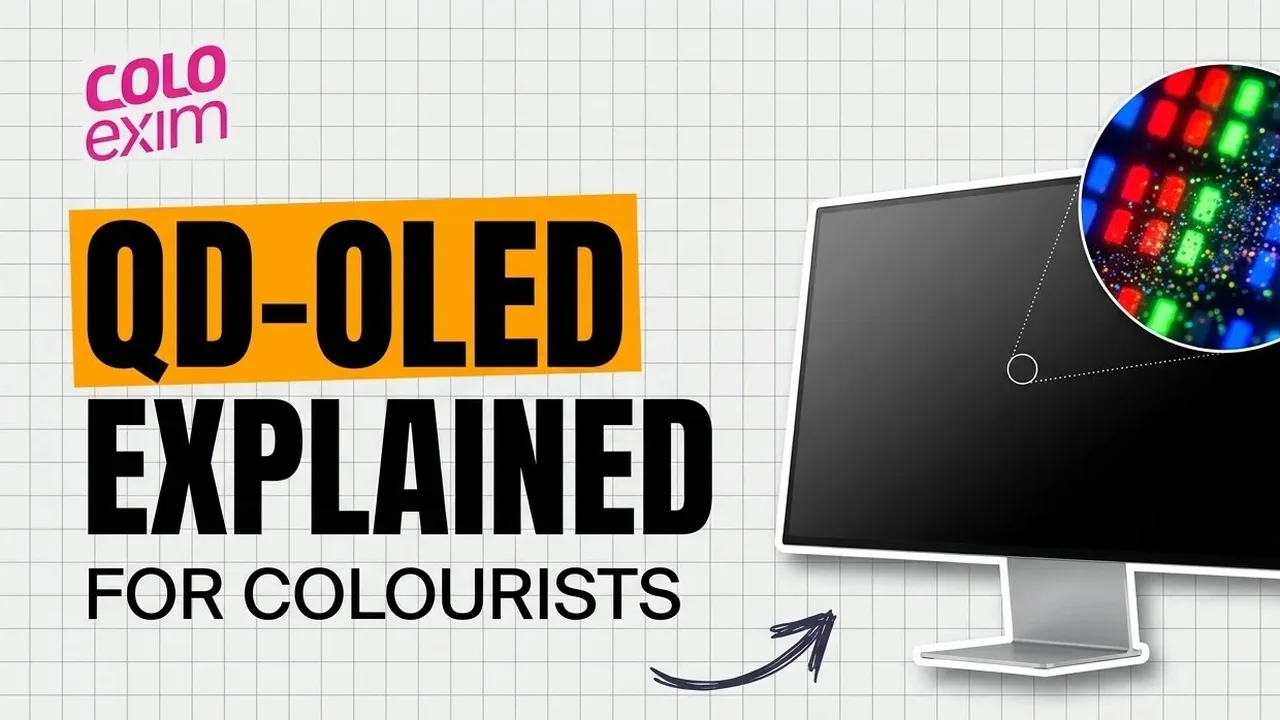
A QD-OLED reference monitor uses a self-emissive OLED panel that makes blue light and a quantum dot layer that turns some of it into red and green, so each pixel controls its own light and the panel adds red, green and blue to make white. For colour grading this gives deep blacks, wide viewing angles and a large colour volume without the haloing of zoned LCD backlights. Below we explain how QD-OLED compares with RGB OLED, WOLED and LCD panels, and where each panel type sits in the Flanders Scientific range.
Why panel technology matters on a reference monitor
A reference monitor has one job: show the signal as it is. Calibration and SDI handling matter, but the panel sets the limits: how dark black gets, how bright a highlight goes, how saturated a bright colour stays, and how much the picture changes when a client sits to one side.
Five panel families appear in professional monitoring: QD-OLED, RGB OLED, WOLED, LED-backlit LCD and dual-layer LCD.
How QD-OLED works
Flanders Scientific explains the principle in its XMP551 Technical Overview. Each subpixel starts with an OLED stack that emits blue light. A quantum dot colour conversion layer above it absorbs that blue light and re-emits it as red in red subpixels and green in green subpixels. Blue passes through with no conversion.
Quantum dots are inorganic nanocrystals. Their size sets the wavelength they absorb and re-emit, so the panel maker can tune the red and green primaries by controlling dot size. FSI states that this is the main reason its newest QD-OLED models reach full P3 coverage and over 90% of Rec2020.
FSI also describes the newest panel generation in some detail. The blue OLED stack in the XMP551 is a design FSI calls EL 3.0, made of five stacked OLED layers that are all deuterium based, which FSI says gives longer lifespan and more light output than earlier OLED materials. The panel is a top emission design: the oxide backplane sits under the emissive layer and the quantum dot layer is near the top of the stack. FSI says the light leaves the panel in a dome shaped, lambertian pattern, which is why the image holds up off-axis.
The other panel types in general terms
RGB OLED
Direct RGB OLED uses separate red, green and blue emissive subpixels, with no colour filter and no white subpixel. Like every OLED, each pixel switches fully off for black. Wikipedia’s OLED article notes that red, green and blue OLED materials age at different rates, and that some panels use larger blue subpixels to balance lifetime.
WOLED
WOLED, also called the colour-by-white method, uses white-emitting OLED material under red, green and blue colour filters. Large TV panels add a fourth, unfiltered white subpixel, an arrangement called WRGB. The filters absorb much of the light, so the white subpixel carries a lot of the brightness. FSI’s own technical overview explains the consequence for HDR: its earlier large format WOLED models were recommended only for SDR mastering, because a panel that is not additive for white suffers what FSI calls volumetric collapse. Bright whites could reach a high level, but bright saturated colours came out too dim or desaturated.
LED-backlit LCD
An LCD does not make light. Liquid crystals act as shutters in front of a backlight. Even in the off state some backlight leaks through, so black is never true black. Local dimming splits the backlight into zones to raise contrast, but this can create blooming or halos around bright objects. A single global dimming backlight can make a bright image or a dark image, but not both at once.
Dual-layer LCD
Dual-layer LCDs stack a second light modulating layer in front of the first, so light passes through two TFT layers. FSI refers to these as LMCL (Light Modulating Cell Layer) LCDs. The extra layer blocks far more light at black, but FSI points out that the backlight stays fully on whatever the image, which draws high power, and that these displays tend to produce much more fan noise in HDR modes.
Strengths and limits for colour grading
Most of the OLED vs LCD reference monitor debate comes down to the five points below. They are also the questions to ask of any QD-OLED monitor for colour grading.
Black level and shadow detail
All OLED types switch pixels off, so black is not a problem in itself. The harder part is coming out of black. FSI notes that many OLEDs show black crush or a sudden jump in luminance a few code values above black, which hides shadow detail. FSI states that the XMP551 rises out of black smoothly, and lists its black level at around 0.0005 nits. LCDs, by contrast, always show some backlight at black, and zoned dimming adds halation around highlights.
Off-axis colour
This is where a large client display earns its place. FSI measured the XMP551 at 60 degrees off-axis and reports that it keeps over 80% of its on-axis luminance, against about 55% on FSI’s previous large format WOLEDs. FSI also reports colour shift under 0.006 delta u’v’ at 60 degrees, roughly half the shift of earlier large format OLEDs.
Full screen brightness versus peak
OLED panels publish peak luminance on a small window, and the figure falls as the bright area grows. FSI’s own spec sheets show this clearly. The XMP551 is rated at about 4,000 cd/m2 on an 18% window, about 2,200 cd/m2 at 32%, about 1,100 cd/m2 at 50% and about 400 cd/m2 full screen. Read the window figures, not only the headline peak, if you grade bright, wide shots such as skies or snow.
Gamut and colour volume
Gamut describes how saturated the primaries are. Colour volume describes how saturated a colour can stay as it gets brighter. QD-OLED is additive for white, so FSI says it avoids the colour volume limit that a white subpixel creates. That is the main reason FSI moved its HDR mastering range from WOLED to QD-OLED.
Burn-in and image retention
OLED pixels lose brightness with use, and a pixel driven harder than its neighbours will dim faster. That is the cause of burn-in: a permanent ghost of a static element such as a logo or a safe area marker. LCDs are less prone to permanent burn-in but can show temporary image persistence. Shifting the image slightly at intervals is a long-standing way to spread the wear.
FSI has added exactly this to its QD-OLED range. XMP firmware v3.2.14, for XMP and XMP C series monitors, adds a Pixel Shift option. When it is on, the image moves slightly every minute to reduce the risk of image retention and burn-in from static, high contrast elements. FSI explains that the panel’s native resolution is slightly larger than the 3840 x 2160 active raster, so the image can shift without cropping any of it.
Panel types compared
| Panel type | How light is made | Black level | Off-axis behaviour | Bright colour volume | Main caution for grading |
|---|---|---|---|---|---|
| QD-OLED | Blue OLED, quantum dots convert to red and green | Per-pixel off | Very wide, lambertian emission per FSI | RGB additive for white | Full screen brightness well below peak; static elements over long periods |
| RGB OLED | Separate red, green and blue emitters | Per-pixel off | Wide | RGB additive | Colours age at different rates; static elements |
| WOLED (WRGB) | White OLED under colour filters, plus white subpixel | Per-pixel off | Wide, but less than QD-OLED per FSI measurements | Bright colours can collapse in HDR | FSI recommended its earlier large WOLEDs for SDR, not HDR, mastering |
| LED-backlit LCD | Backlight through liquid crystal shutters | Raised, some leakage | Varies by panel | Depends on backlight and filters | Low simultaneous contrast; halos with local dimming |
| Dual-layer LCD | Backlight through two modulating layers | Much lower than single layer | Varies by panel | Depends on backlight | Backlight always fully on: power and fan noise in HDR per FSI |
How Flanders Scientific uses each panel type
FSI splits its monitors into two families: the XMP series, which is built on QD-OLED, and the DM series, which uses RGB OLED and wide gamut LCD panels. Our XMP vs DM guide goes deeper on that choice.
XMP551 and XMP651: fourth generation QD-OLED
FSI’s product pages state that the 55 inch XMP551 and the 65 inch XMP651 are built around an all new fourth generation QD-OLED panel. Both are UHD and 10 bit, with about 8,000,000:1 contrast and the luminance figures listed above. Both qualify as Dolby Vision mastering monitors according to FSI. FSI says their size allows a single monitor grading room, with no separate client screen.
XMP550 and XMP550C
The XMP550 is a 55 inch QD-OLED HDR mastering monitor rated by FSI at about 2,000 cd/m2 on a 20% window, about 250 cd/m2 full screen and about 4,000,000:1 contrast. The XMP550C uses the same panel in a smaller, lighter chassis that FSI positions for broadcast control rooms, OB trucks and some post work.
XMP270, XMP310 and their C versions
The 26.5 inch XMP270 and 31.5 inch XMP310 use the same QD-OLED panel technology as the XMP550, according to FSI. Both are UHD, rated at about 1,000 cd/m2 on an 18% window, about 250 cd/m2 full screen and about 1,500,000:1 contrast, and both qualify as Dolby Vision mastering monitors. The XMP270C and XMP310C use the same panels in the compact C chassis.
FSI groups all of these XMP models under its Mastering HDR rating, which it reserves for displays that qualify as Dolby Vision mastering monitors and have a peak luminance rating of at least 1,000 cd/m2.
DM series OLED: DM160 and DM220
The DM160 uses a 15.6 inch, 1920 x 1080 RGB OLED panel with 1,000,000:1 contrast and 400 cd/m2 full screen. The DM220 uses a 21.6 inch, 1920 x 1080 RGB OLED panel with 1,000,000:1 contrast and 335 nits on a 20% window. These are SDR reference monitors with HDR Preview modes (HLG, PQ with a hard clip, or PQ with a soft highlight roll-off). FSI notes that the DM160’s contrast lets it track the low end of the PQ curve well, matching mastering displays in roughly the 0 to 300 nit range, which suits on-set HDR checks when a mastering display is not practical.
DM series LCD: DM211, DM231 and DM242
The DM211 (21.5 inch), DM231 (23.8 inch) and DM242 (24 inch) use wide gamut W-LED backlit LCD panels. FSI lists 1300:1, 1500:1 and 1800:1 contrast respectively, with 300 cd/m2 on the DM211 and DM231 and 400 cd/m2 on the DM242. The DM242 has a 10 bit, 1920 x 1200 panel, and FSI says it warms up and stabilises almost instantly. FSI includes HDR Preview modes across the DM series.
Choosing a panel type for your room
- HDR mastering and client review in one room: the large QD-OLED models, the XMP551 or XMP651, where FSI’s off-axis figures matter most.
- HDR mastering at the desk or on set: the XMP270 or XMP310, both rated by FSI at around 1,000 cd/m2 peak.
- Broadcast galleries and OB vans: the C versions use the same panels in a shorter, lighter chassis.
- SDR grading, on-set checks and HDR preview: the DM160 or DM220 RGB OLED models.
- Editorial and multi-monitor setups: the DM211, DM231 or DM242 LCD models.
On XMP models, turn on Pixel Shift where static overlays stay up for long periods. Our FSI range and buying guide covers inputs, sizes and series in more detail.
Where to buy Flanders Scientific in India
Colo Exim is the official distributor of Flanders Scientific monitors in India, supplying the XMP and DM series to colourists, DITs, post houses, broadcasters and film schools. Tell us your room size, delivery format and HDR needs, and we will help match a panel type and model to the work. Make an inquiry or call us on +91 93204 96801.
Frequently asked questions
What is a QD-OLED reference monitor?
It is a professional monitor built on a QD-OLED panel, where a blue OLED layer makes the light and a quantum dot layer converts part of it to red and green. Each pixel controls its own light, giving deep blacks and wide viewing angles. In the Flanders Scientific range, the XMP series uses QD-OLED.
Is QD-OLED better than WOLED for HDR colour grading?
Flanders Scientific states that QD-OLED is truly RGB additive for white, while WOLED panels use a white subpixel that can cause bright saturated colours to look dim or desaturated in HDR. FSI recommended its earlier large format WOLED monitors for SDR mastering only.
Which Flanders Scientific monitors use the fourth generation QD-OLED panel?
FSI’s product pages state that the 55 inch XMP551 and the 65 inch XMP651 are built around an all new fourth generation QD-OLED panel, rated at about 4,000 cd/m2 peak on an 18% window and about 8,000,000:1 contrast.
Why is full screen brightness lower than peak brightness on OLED monitors?
OLED peak luminance is quoted on a small window and falls as the bright area grows. On the XMP551, FSI lists about 4,000 cd/m2 on an 18% window and about 400 cd/m2 full screen, so check the window figures for bright, wide shots.
Can a QD-OLED reference monitor get burn-in?
Any OLED can suffer image retention or burn-in from static, high contrast elements left on screen for long periods. FSI XMP firmware v3.2.14 adds a Pixel Shift option that moves the image slightly every minute to reduce this risk without cropping the active picture.
Does Flanders Scientific still make LCD reference monitors?
Yes. The DM211, DM231 and DM242 use wide gamut W-LED backlit LCD panels, while the DM160 and DM220 use RGB OLED panels. The XMP series uses QD-OLED.