SDI Monitor Guide: HD, 3G, 6G and 12G-SDI for Broadcast in India
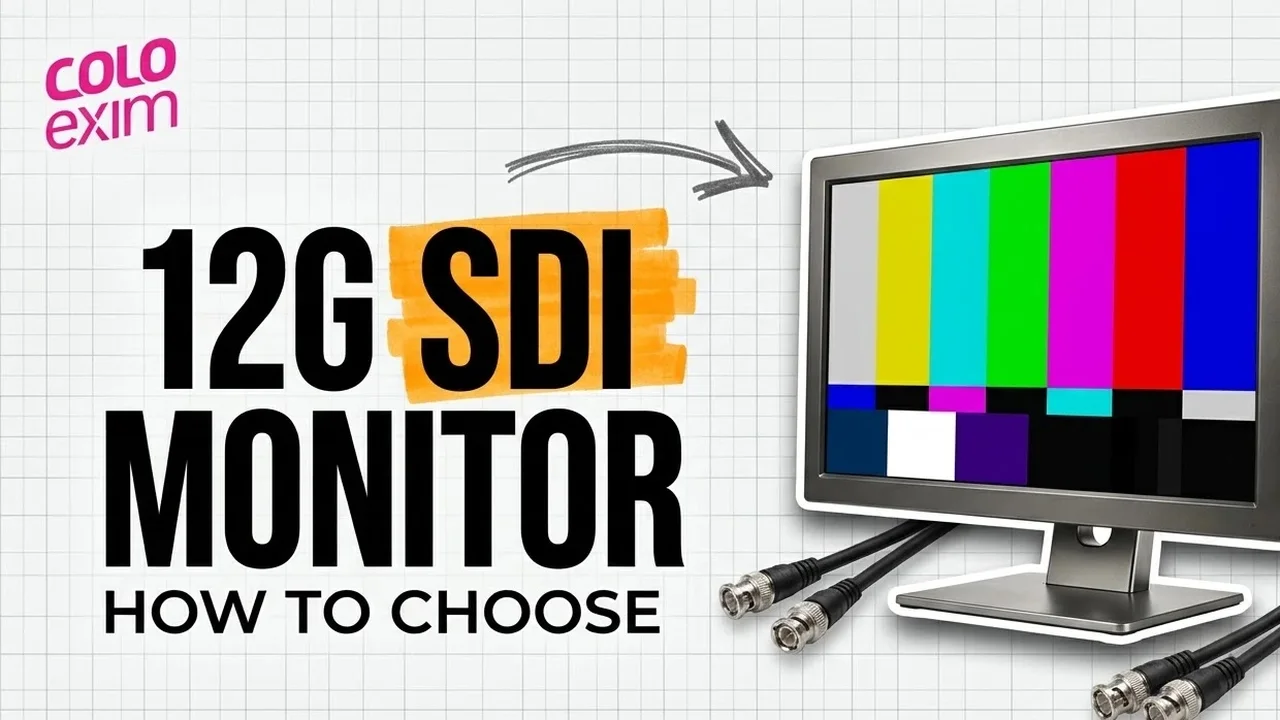
An SDI monitor is a display that takes video over the Serial Digital Interface, the coaxial BNC connection used in broadcast control rooms, OB vans and on film sets. Choosing one comes down to three questions: which SDI speed your sources send (HD, 3G, 6G or 12G), how many inputs you need, and whether you need loop-through outputs to pass the signal on. This guide explains each point and maps it to current Flanders Scientific models.
What SDI is
SDI is a family of digital video interfaces first standardised by SMPTE in 1989. It carries uncompressed, unencrypted video, with optional embedded audio and timecode, between cameras, recorders, vision mixers and monitors inside a facility. Every SDI standard uses 75 ohm coaxial cable with BNC connectors, the same cable type long used for analogue composite video.
Because the signal is uncompressed, an SDI monitor shows the feed as it arrives on the wire. For quality control that matters: you judge the signal itself, not a re-encoded copy. SDI also carries ancillary data alongside the picture. A payload identifier packet (VPID, defined by SMPTE 352M) tells the receiving device exactly which format is on the cable.
Flanders Scientific uses that data. Its XMP series monitors read the VPID embedded in the SDI signal and set the monitor’s SDI format mode automatically for 4:4:4 or 4:2:2, 10 or 12-bit, and RGB or YCbCr. DM series monitors can display VITC1, VITC2 or LTC timecode pulled from the SDI signal, and can show a record tally from the camera’s SDI flag where the camera outputs one.
HD-SDI vs 3G vs 6G vs 12G-SDI
The name of each SDI class refers to the data rate of a single link. A higher rate carries larger frame sizes and higher frame rates on one cable. The table below lists the nominal rates and example formats published for each SMPTE standard.
| Interface | SMPTE standard | Nominal data rate | Example formats |
|---|---|---|---|
| SD-SDI | SMPTE 259M | 270 Mbit/s (most common) | 480i, 576i |
| HD-SDI | SMPTE 292M | 1.485 Gbit/s | 720p, 1080i, 1080p up to 30 |
| Dual link HD-SDI | SMPTE 372M | 2 x 1.485 Gbit/s | 1080p60, 4:4:4, 12-bit |
| 3G-SDI | SMPTE 424M | 2.97 Gbit/s | 1080p60 |
| 6G-SDI | SMPTE ST 2081 | 5.94 Gbit/s | 1080p120, 2160p30 |
| 12G-SDI | SMPTE ST 2082 | 11.88 Gbit/s | 2160p60 |
Two points come out of this table. First, 3G-SDI was created to replace dual link HD-SDI. It supports the same features, including 4:4:4 sampling, RGB and higher bit depth, but needs one cable instead of two. Second, UHD at 60p needs either one 12G link or four 3G links. A single 6G link carries UHD only up to 30p.
Each rate also exists in a 1/1.001 version. That variant lets the interface carry frame rates such as 59.94, 29.97 and 23.98.
Single link vs quad link
Single link means the whole picture travels on one cable. Quad link splits a UHD or 4K picture across four cables, each carrying a quarter of the data. A quad link of 3G-SDI supports UHD at 2160p60, which is why many cameras, recorders and routers that top out at 3G deliver UHD this way.
Flanders Scientific says 12G SDI lets you feed 4K and UHD signals to the display over a single cable, which simplifies room design. Its XMP monitors also accept quad 1.5G and quad 3G connections, so older 4K and UHD outputs still work. The XMP310 spec page lists these modes for UHD, 4K DCI, 8K UHD and 8K DCI formats under ST 2081 and ST 2082:
- Single link 12G and 6G
- Dual link 12G, 6G and 3G
- Quad link 12G, 6G, 3G and 1.5G
FSI also states that the XMP range accepts 8K UHD and 8K DCI signals at 12-bit 4:4:4 over quad 12G or quad 6G connections. One caution: the XMP spec pages mark some formats, including 12 and 10-bit 4:4:4 4096×2160 at 47.95p and above and the 8192×4320 formats, as supported via 2SI only. Before you commit to a quad link workflow, confirm that your source uses a matching quad link mapping.
Loop-through outputs: clean and processed
A loop-through output passes the incoming signal on to the next device, such as a second monitor, a recorder or a router input. On a set or in a truck, this saves a distribution amplifier and a few cables. Flanders Scientific separates two kinds:
- Clean loop outputs pass the input signal on unchanged.
- Processed loop outputs carry the monitor’s processed image. On XMP monitors, the active Look LUT assigned to each input is applied in real time to the matching processed output, so the monitor can work as a LUT box for downstream devices.
On the XMP spec pages, clean loop outputs run at up to 12G, while processed loop outputs are listed as 6G/3G/HD-SDI. If you plan to feed a downstream 12G device from a processed output, check that limit first.
DM series monitors add second screen outputs on top of the standard loop-throughs, so you can send clean and manipulated images at the same time. They also offer cross conversion: signals arriving on the DisplayPort or DVI inputs can be converted to SDI for output.
Why broadcast uses SDI instead of HDMI
HDMI also carries uncompressed video, and some professional cameras offer it. Broadcast facilities still standardise on SDI for practical reasons.
- Locking connector. BNC is a twist-to-lock bayonet design. Mating is completed with a quarter turn of the coupling nut, so a cable cannot work loose from a rack or a monitor on a moving cart.
- Cable length. With equalisation at the receiver, 270 Mbit/s SDI can run about 300 m over coax without repeaters. HD rates have a shorter typical run of about 100 m, and fibre versions of SDI reach much further. The HDMI specification sets no maximum cable length, but signal attenuation limits usable lengths in practice.
- Professional ecosystem. SDI appears mainly on professional equipment because licensing agreements restrict unencrypted digital interfaces in consumer products. HDMI is mainly a consumer interface, though it is increasingly used in professional devices.
- Existing infrastructure. SDI uses the same 75 ohm coax and BNC type as analogue composite video, so patch panels and cable runs carry over.
Higher bit rates shorten usable runs, and older or lower grade cable may need replacing with fibre at long distances. Plan 12G runs with the cable maker’s distance figures, not the SD numbers above.
What about IP video and SMPTE ST 2110?
Many facilities are planning a move to IP video. On the Flanders Scientific product pages we checked for this guide, the listed video inputs are SDI on XMP models and SDI, DVI and DisplayPort on DM models. We found no ST 2110 input listed. The IP features on these pages relate to remote control: the FSI IP Remote Utility can switch inputs, toggle functions and navigate menus from a Mac, PC or iOS device. If your plant is moving to IP, plan for the IP to SDI step elsewhere in the chain, ahead of the monitor.
Flanders Scientific SDI monitors compared
The table below lists SDI inputs and outputs for current DM, XMP and XMP C models, taken from the tech specs on each Flanders Scientific product page. For a wider look at the range, see our Flanders Scientific range and buying guide.
| Model | Size and panel | SDI inputs | Clean loop outputs | Processed loop outputs |
|---|---|---|---|---|
| DM160 | 15.6″, 1920×1080 RGB OLED | 2 x 3G/HD/SD-SDI | 2 x 3G/HD/SD-SDI | 2 x 3G/HD/SD-SDI |
| DM211 | 21.5″, 1920×1080 LCD | 2 x 3G/HD/SD-SDI | 2 x 3G/HD/SD-SDI | 2 x 3G/HD/SD-SDI |
| DM220 | 21.6″, 1920×1080 RGB OLED | 2 x 3G/HD/SD-SDI | 2 x 3G/HD/SD-SDI | 2 x 3G/HD/SD-SDI |
| DM231 | 23.8″, 1920×1080 LCD | 2 x 3G/HD/SD-SDI | 2 x 3G/HD/SD-SDI | 2 x 3G/HD/SD-SDI |
| DM242 | 24″, 1920×1200 LCD | 2 x 3G/HD/SD-SDI | 2 x 3G/HD/SD-SDI | 2 x 3G/HD/SD-SDI |
| XMP270 | 26.5″, 3840×2160 QD-OLED | 4 x 12G/6G/3G/HD-SDI | 4 x 12G/6G/3G-SDI | 4 x 6G/3G/HD-SDI |
| XMP270C | 26.5″, 3840×2160 QD-OLED | 4 x 12G/6G/3G/HD-SDI | 4 x 12G/6G/3G-SDI | None |
| XMP310 | 31.5″, 3840×2160 QD-OLED | 4 x 12G/6G/3G/HD-SDI | 4 x 12G/6G/3G-SDI | 4 x 6G/3G/HD-SDI |
| XMP310C | 31.5″, 3840×2160 QD-OLED | 4 x 12G/6G/3G/HD-SDI | 4 x 12G/6G/3G-SDI | None |
| XMP550 | 55″, 3840×2160 QD-OLED | 4 x 12G/6G/3G/HD-SDI | 4 x 12G/6G/3G/HD-SDI | 4 x 6G/3G/HD-SDI |
| XMP550C | 55″, 3840×2160 QD-OLED | 4 x 12G/6G/3G/HD-SDI | 4 x 12G/6G/3G-SDI | None |
| XMP551 | 55″, 3840×2160 QD-OLED | 4 x 12G/6G/3G/HD-SDI | 4 x 12G/6G/3G-SDI | 4 x 6G/3G/HD-SDI |
| XMP651 | 65″, 3840×2160 QD-OLED | 4 x 12G/6G/3G/HD-SDI | 4 x 12G/6G/3G-SDI | 4 x 6G/3G/HD-SDI |
DM models also list one DVI-D and one DisplayPort input each. The XMP spec pages list four SDI inputs as the video inputs.
DM series: HD and 3G-SDI
The DM series covers 1080-line work over 3G, HD and SD-SDI, including SMPTE 425M Level A and Level B. The DM160 is a 15.6″ RGB OLED that weighs 2.6 kg, which FSI positions for colour critical production, post and broadcast use. All DM monitors include HDR preview modes for HLG and PQ. For HD galleries and on-set village carts, 3G carries 1080p up to 60p in 4:2:2, and the DM spec pages list 4:4:4 at 1080p up to 30p.
XMP series: 12G-SDI and UHD
XMP monitors use 3840×2160 QD-OLED panels from 26.5″ up to 65″, with four 12G inputs. Quad view mode shows up to four inputs at once, and FSI says it no longer needs genlock: sources just need the same frame rate. Each input can carry its own colour space settings, so HDR and SDR can sit side by side on one screen. FSI describes the XMP310, with its front keypad and processed outputs, as the go-to option for on-set work. For HDR mastering and the full XMP vs DM comparison, read our XMP vs DM guide.
XMP C series: control rooms and OB vans
FSI describes the XMP310C as a compact version of the XMP310 suited to broadcast control rooms and OB trucks. It uses the same 31.5″ UHD QD-OLED panel. The differences FSI lists against the XMP310 are:
- A 5-way controller on the back instead of a front keypad
- No speakers, though an audio out is still provided
- No processed monitor outputs, though each input keeps its own dedicated clean loop
- Overall height reduced by 3.5 cm and weight reduced by 0.8 kg
For installed rooms, the XMP C pages list RS-485 serial control with a published protocol, GPI contact closure and IP remote control. Available functions include power on and off and tally light activation. FSI also notes accurate interlaced display for spotting faults such as field reversals, which suits transmission QC.
Which SDI monitor fits your application
- OB vans and broadcast control rooms: XMP C models, for 12G inputs, rear controls, serial and GPI integration, and four clean loops in a shorter, lighter chassis.
- On set and DIT carts: XMP models with front keypad and processed outputs to feed a LUT applied signal downstream, or the DM160 where weight and size matter and the work is HD.
- HD studios and edit suites: DM series, with two 3G inputs, clean and processed loops, and DVI or DisplayPort for computer sources.
- UHD and HDR mastering: XMP models fed by single link 12G, or quad link from older gear.
Where to buy Flanders Scientific in India
Colo Exim is the official distributor of Flanders Scientific in India and can help you match SDI inputs, loop outputs and screen size to your truck, control room or set. See the full line of Flanders Scientific monitors in India. Make an inquiry or call us on +91 93204 96801.
Frequently asked questions
What is an SDI monitor?
An SDI monitor is a display that accepts video over the Serial Digital Interface, a family of SMPTE standards that carry uncompressed video, with optional embedded audio and timecode, over 75 ohm coaxial cable with BNC connectors. It is the standard monitoring connection in broadcast control rooms, OB vans and on film sets.
What is the difference between 3G-SDI and 12G-SDI?
3G-SDI (SMPTE 424M) runs at 2.97 Gbit/s and carries up to 1080p60 on one cable. 12G-SDI (SMPTE ST 2082) runs at 11.88 Gbit/s and carries 2160p60 UHD on one cable. Without 12G, UHD at 60p needs four 3G links in a quad link setup.
Do I need a 12G SDI monitor?
You need 12G inputs if your sources output UHD or 4K over a single cable. Flanders Scientific XMP and XMP C monitors have four 12G/6G/3G/HD-SDI inputs and also accept quad 1.5G and quad 3G. For 1080-line work, the 3G inputs on DM series monitors cover formats up to 1080p60.
What is the difference between clean and processed loop outputs?
A clean loop output passes the incoming SDI signal on unchanged. A processed loop output carries the monitor’s processed image, and on XMP monitors the Look LUT assigned to each input is applied to its processed output. XMP C models have clean loops only, one per input.
Why do broadcasters use SDI instead of HDMI?
SDI uses twist-to-lock BNC connectors that cannot pull out easily, runs much longer distances over coax (about 100 m typical at HD rates, longer at SD and much further over fibre), and is built for professional equipment. HDMI is mainly a consumer interface and its usable cable length is limited by attenuation.
Do Flanders Scientific monitors support SMPTE ST 2110?
The Flanders Scientific product pages we checked list SDI video inputs on XMP models and SDI, DVI and DisplayPort on DM models. We did not find an ST 2110 input listed. The IP features on these pages are for remote control of the monitor.